
In my recent demo I walked you through the Leads Sniper Google Search Scraper — a powerful Email Extractor built to pull business contact data from Google Search results in seconds. As the creator of that walkthrough, I want to give you a clear, practical guide on why this tool stands out, how it works, and how you can use it to scale your outreach without manual searching or outsourcing.
Why choose Leads Sniper as your Email Extractor?
If you need verified contact data fast, this Email Extractor is designed for marketers, agencies, and freelancers who want results now. Leads Sniper stands out because it pulls data directly from Google SERP and scrapes linked social platforms and websites for emails, phones, and social profiles — all in one click.
- Massive dataset: 17M+ places and phone numbers, 2M+ emails, 4M+ social media links, and 800K+ reviews.
- Speed: A single keyword run can return complete lead lists in under a minute.
- Flexible export: CSV/XLS/XLSX for easy integration with CRMs and Google Drive.
- Unlimited leads and lifetime access options on paid plans (starter from $149) plus a free trial to test the Email Extractor.
Live demo recap — what I showed
During the live walkthrough I opened two browsers and demonstrated simultaneous scraping with different keyword sets (for example: "cheap accommodation India" and "luxury Indian hotel"). The extension opens a Google tab, runs your search terms one line at a time, and extracts results automatically.
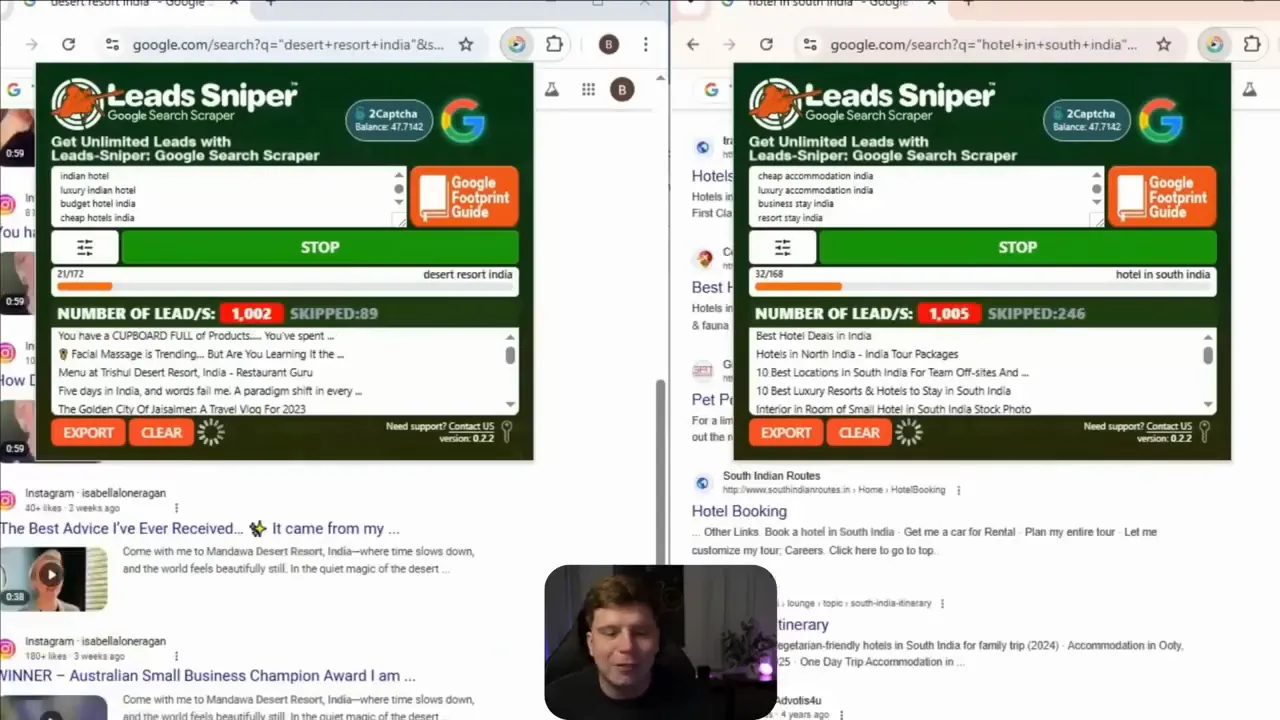
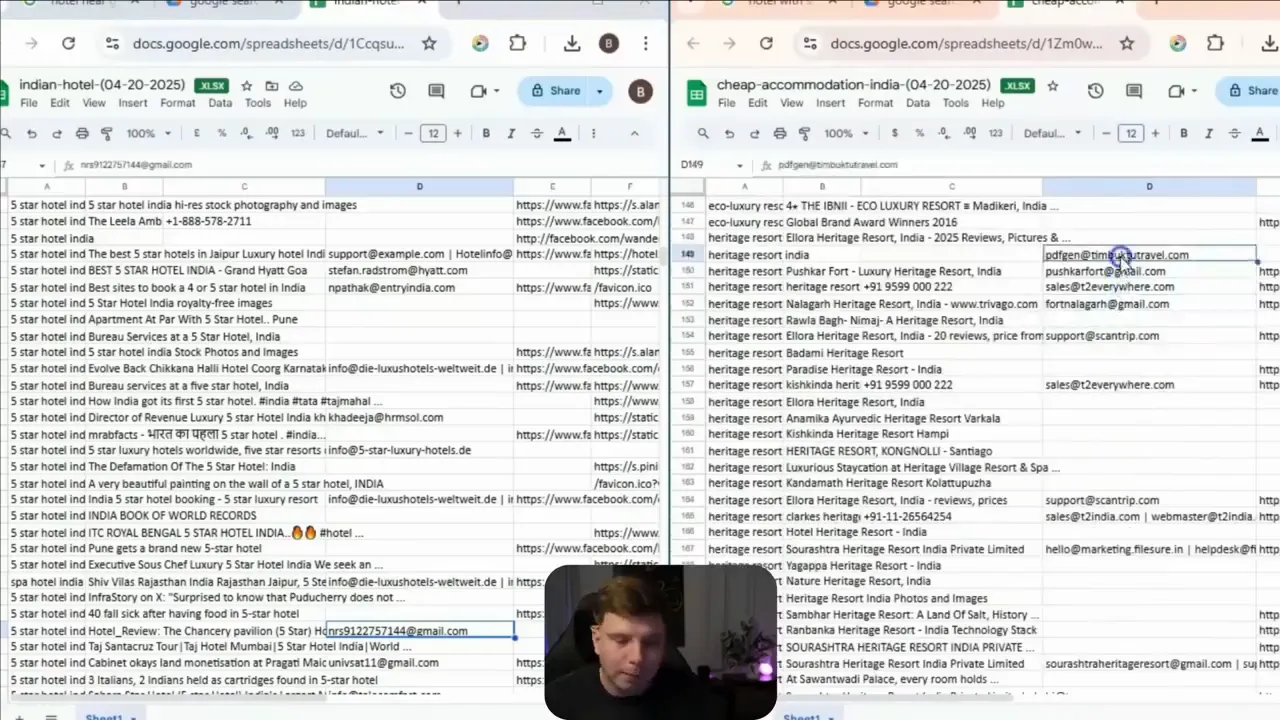
The result is a downloadable file that you can open in Google Drive. That spreadsheet contains more contact data than a manual team could generate over months — names, emails, phone numbers, websites, social links and reviews — all tied to the source listings.
How to use the Leads Sniper Google Search Scraper (step-by-step)
- Install the extension and accept the permissions.
- Open Google Search in a new tab — the extension requires Google to run.
- Paste your keywords line-by-line (one keyword per line) into the scraper interface.
- Click start — the tool opens tabs and scrapes each SERP automatically.
- Export to CSV/XLS/XLSX and open the results in Google Drive for immediate use.
It’s that simple. No VPS or proxies are required for unlimited scraping, though captcha handling can be integrated (2Captcha) if you encounter Google Captcha prompts.
What data does the Email Extractor provide?
- Business title and URL
- Phone numbers and multiple email sources (website and social profiles)
- Social media URLs (Facebook, Instagram, LinkedIn, Twitter, YouTube, TikTok, etc.)
- Meta descriptions, favicon URLs, and reviews
Because the tool also scans the homepage of each result for emails, you’ll often get additional contacts not visible on the SERP alone — a major advantage for outreach campaigns.
Pricing, trial, and why it’s a no-brainer
The starter lifetime plan begins at $149 with unlimited leads per installation and dedicated support. If you want to test before committing, start with the free trial to confirm the Email Extractor fits your workflow. For more details and to try it today.
Final thoughts and next steps
If you’re serious about scaling outreach, the Leads Sniper Google Search Scraper is my top recommendation. It saves time, centralizes contact data, and produces high-quality lists that feed CRMs and outreach pipelines immediately. Try the Email Extractor yourself — test the free trial, run a few keyword sweeps, and see how quickly you can assemble verified leads.
Thanks for reading — go extract smarter and reach further with Leads Sniper.


