I’m Pro Review, and in my latest walkthrough I put two popular tools head-to-head to answer a simple question: which google maps scraper saves you the most time and gives you the best leads? In this article I’ll summarize the comparison, share what I tested, and explain why I’m recommending Leads Sniper as the superior solution for most businesses and agencies.
Quick verdict: Botster is functional and flexible, but Leads Sniper wins on speed, cost-effectiveness, and raw lead volume — especially if you want a one-time purchase and unlimited scrapes.
Why use a google maps scraper?
If you’re generating leads for local businesses, agencies, or outreach campaigns, manually copying listings from Google Maps is slow and error-prone. A google maps scraper automates that process and extracts useful data like phone numbers, emails, websites, addresses, and review counts — often in seconds. That’s exactly what both of these tools aim to do.
What I tested
My demo focused on a real-world use case: scraping restaurant listings in multiple Maryland cities. I ran Botster first to get a feel for its interface and pricing model, then switched to Leads Sniper to compare speed, output quality, and total cost.
Botster — flexible, but credit-based
Botster is a capable platform that uses bots to scrape map data. Highlights include:
- Multiple pre-built bots by brand, industry, and task
- Demo videos and tutorials to help you set up scrapes
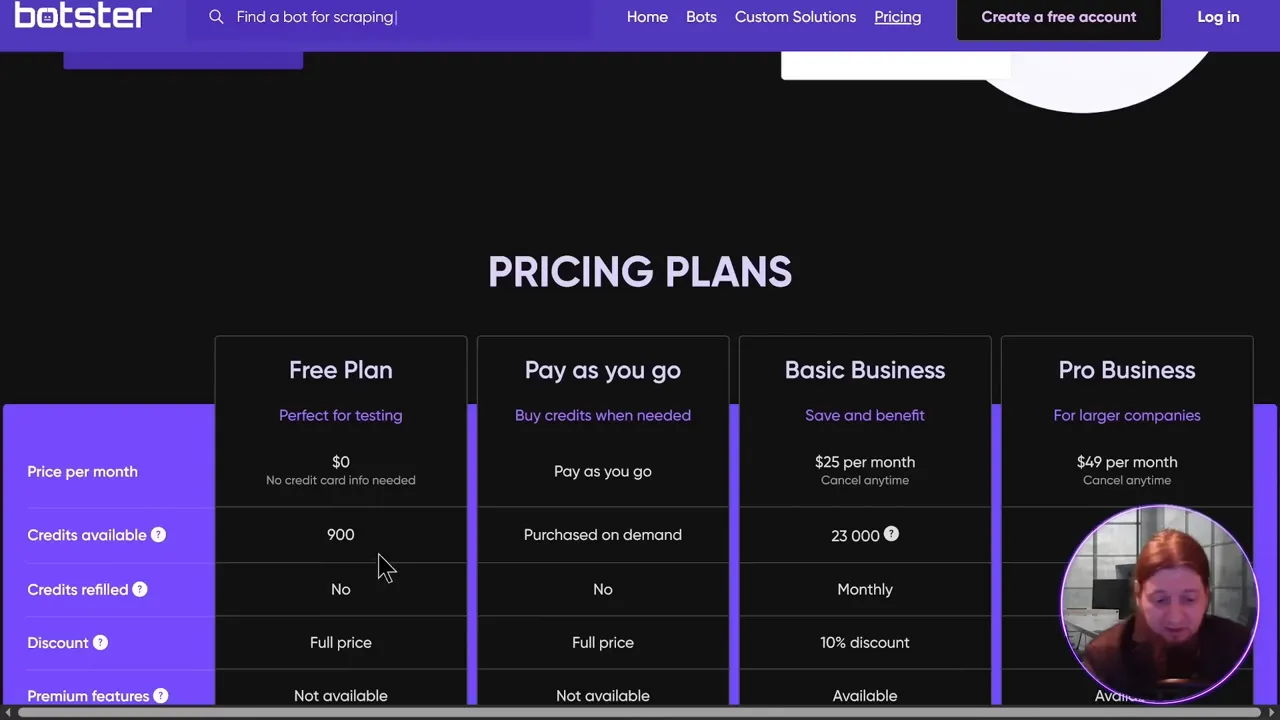
- A pay-as-you-go credits system or monthly plans
What I noticed: Botster’s interface is straightforward and the bot marketplace is useful if you want a very specific extraction flow. However, the credit model means you keep an eye on usage and recurring payments unless you only need occasional scrapes.
Leads Sniper — fast, powerful, one-time price
Leads Sniper impressed me in a couple of big ways. It’s built specifically to pull targeted leads from Google Maps fast and at scale. Key advantages I saw:
- One-time purchase option — get lifetime access for a single payment
- Ultra-fast extraction: thousands of leads in seconds
- Comprehensive data fields: phone, email, website, owner contact where available, address, and review counts
- Large dataset and social proof — advertised numbers like millions of places and phone numbers
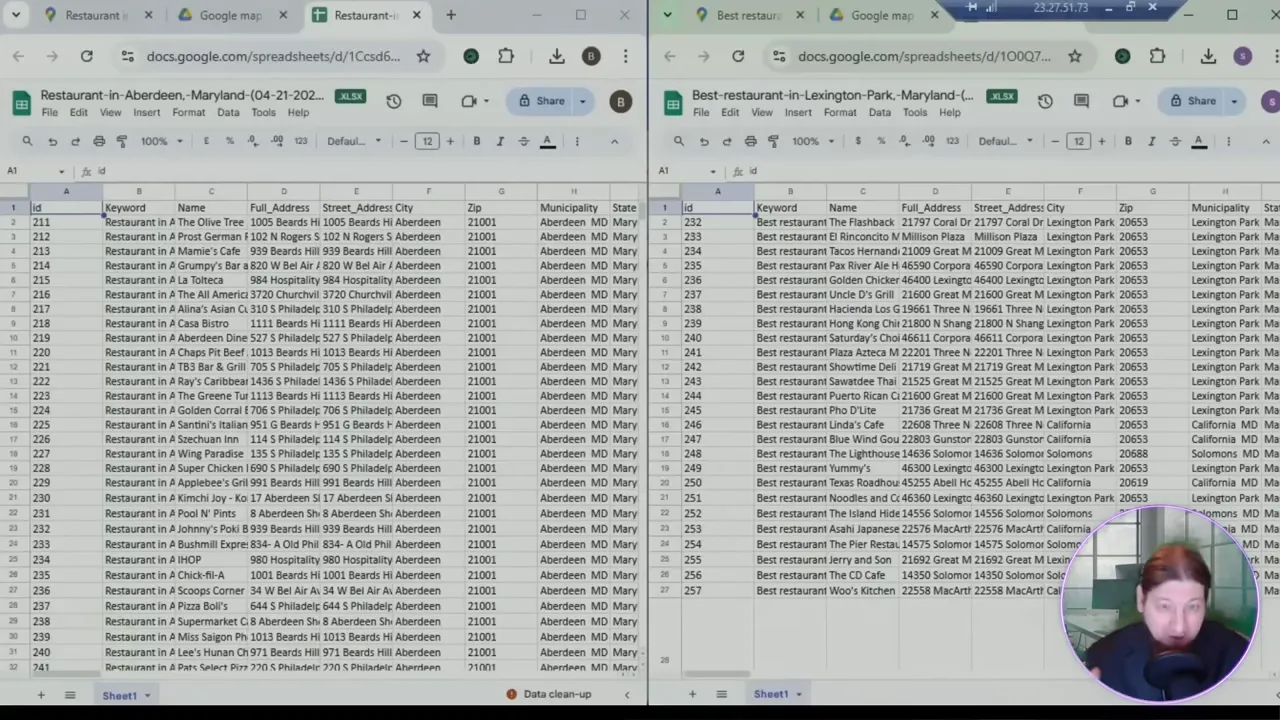
During my demo, Leads Sniper returned thousands of restaurant leads across two cities almost instantly, and the export options (XLSX/CSV) made it trivial to drop the results into Google Sheets or a CRM.
Leads Sniper’s onetime price (the offer I tested) makes it extremely attractive for freelancers and agencies who want to avoid monthly fees or credit management. It also comes with 24/7 support and an easy learning curve.
Concrete benefits I saw
- Speed: multiple parallel scrapes completed in seconds, not minutes.
- Volume: massive datasets available so you can build campaigns that scale.
- Data quality: phone numbers, websites, and sometimes owner emails are included — ready for outreach.
- Time saved: instead of spending hours collecting leads, you can run scrapes and focus on outreach or business operations.
Feature comparison (summary)
- Cost model: Botster — credits/monthly. Leads Sniper — one-time option plus free trial.
- Speed: Leads Sniper is noticeably faster in my tests.
- Data fields: Both extract core Google Maps data, but Leads Sniper packaged the results with easy exports and higher lead counts in my demo.
- Ease of use: Both are user-friendly, but Leads Sniper’s one-click scraping and exports felt more streamlined.
If you want to try Leads Sniper yourself, I recommend starting with the free trial to replicate the demo steps I ran. Leads Sniper made it simple to fetch thousands of targeted leads in seconds during my tests.
How to get the most from a google maps scraper
- Define your target: industry, city, radius, or keywords.
- Run a small test: export 100–500 records to inspect data quality before scaling.
- Clean and enrich: validate phone numbers and emails, then import into your CRM.
- Respect rules: follow local regulations and best practices when contacting leads.
Final thoughts — why I recommend Leads Sniper
After testing both tools in real scraping scenarios, Leads Sniper stood out for speed, simplicity, and overall value — especially if you prefer a one-time purchase and unlimited lead generation. For marketers, agencies, and business owners who need reliable, fast results from a google maps scraper, Leads Sniper is a clear winner in my tests.
Want to see it in action? Try the free trial, or consider the lifetime option if you plan to scale lead generation without recurring fees. Grab Leads Sniper and start turning Google Maps data into real outreach opportunities today. Leads Sniper
Ready to start? If you’d like help setting up your first scrape or choosing filters that match your niche, drop a comment and I’ll walk you through it step by step. And if you enjoyed this comparison, keep an eye out for more tool reviews and real-world demos.
Disclosure: I tested both platforms to show practical results; performance and pricing may change over time. This article reflects my hands-on experience and the demo I ran.
Get Leads Sniper: Lifetime access and fast scraping make it a smart choice for anyone serious about local lead generation. Leads Sniper


