In this post I break down a head-to-head comparison of two popular tools for local outreach: Leads-Sniper and Scrap.io. Created from a recent review by Review Insider, this article explains feature differences, pricing, and a live demo so you can decide which google maps scraper fits your business. If you want to try Leads-Sniper while you read, check out Leads-Sniper.
Quick overview: what these tools do
Both products are designed to extract business data from Google Maps and make lead generation faster. A google maps scraper pulls names, phone numbers, emails, website URLs and other fields from local search results so you can export clean CSVs for outreach or hand off to a VA.
Price and value: one-time vs subscription
Pricing is where these two diverge most clearly. Scrap.io offers tiered monthly plans (starter, professional, and higher tiers up to $500/month) with advanced features and real-time scraping. That sounds powerful, but it can add up quickly, especially if you only need targeted lead lists.
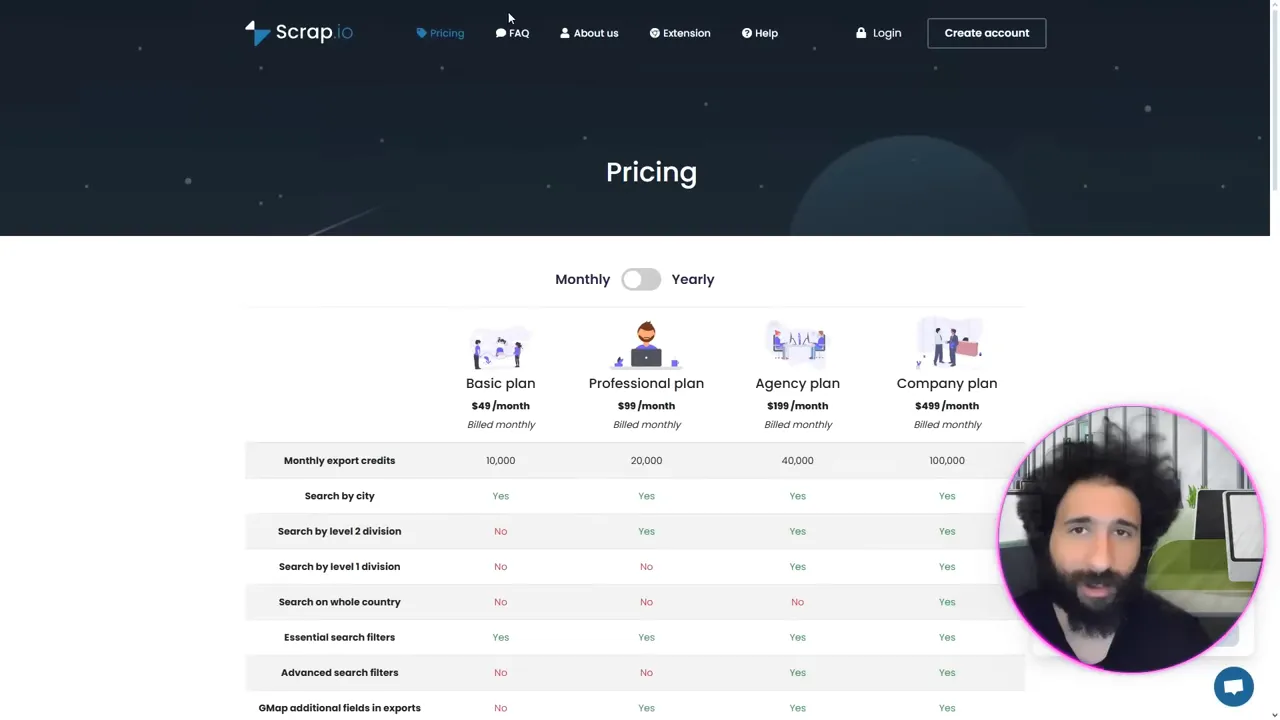
Leads-Sniper takes a different approach: you can start for free, then pay a one-time fee (the video demo mentions about $149–$150) to unlock unlimited leads for life. For many small businesses and agencies that want predictable costs, unlimited lifetime access is a compelling offer.
Live demo: scraping plumbers in Paris
In the walkthrough I demonstrate a real scrape for “plumbers” in Paris using Leads-Sniper. The process is straightforward: enter a keyword and location, target Google Maps results, and run the scraper. Within moments you get a list of businesses with phone numbers, emails, websites and additional fields ready to export as CSV.
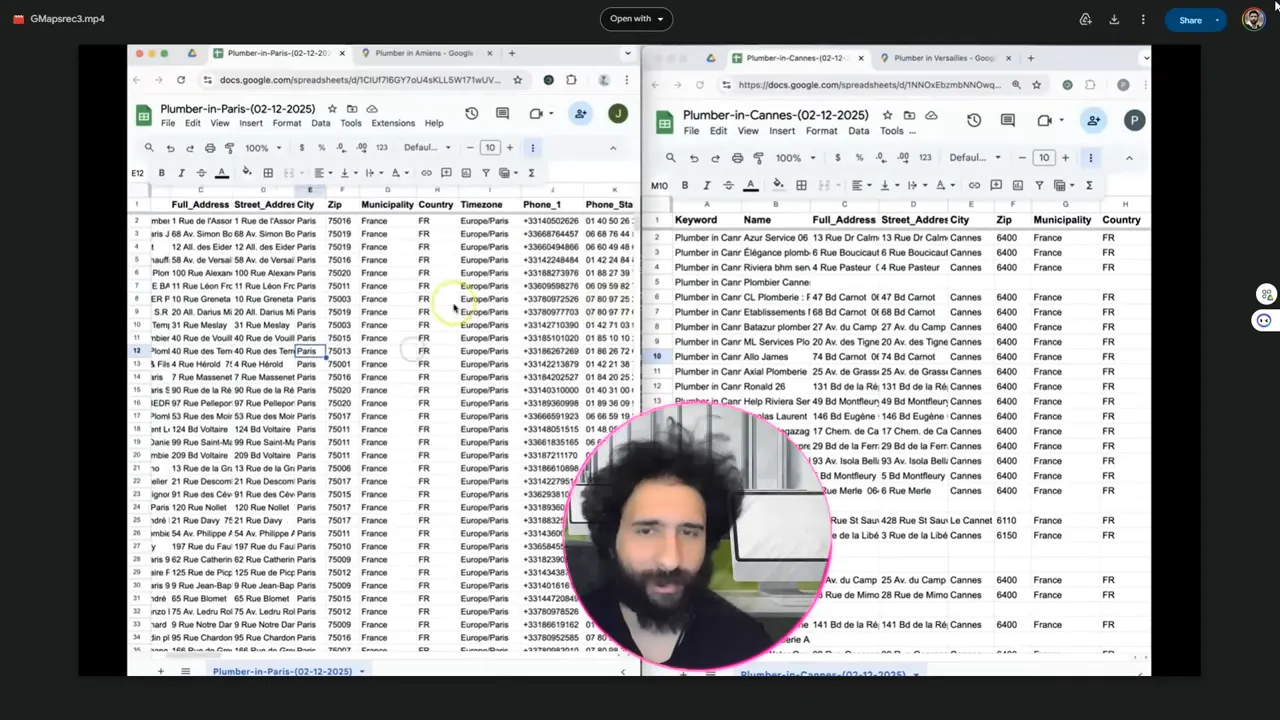
The exported CSV is clean and ready for Excel or your CRM — exactly what you need for outreach and appointment booking. That end-to-end simplicity is one of the main selling points of Leads-Sniper.
Feature comparison at a glance
- Data fields: Both tools can pull core fields (phone, website, address). Scrapey.io advertises additional field options (YouTube, etc.), while Leads-Sniper focuses on the essentials needed for outreach.
- Real-time results: Scrap.io highlights real-time scraping. Leads-Sniper’s demo also pulls current Google Maps data and exports it cleanly.
- Compliance: Scrap.io mentions GDPR compliance on its site. Always confirm GDPR and local regulations when collecting personal data for outreach.
- Cost: Leads-Sniper uses a free trial plus a one-time fee for unlimited leads; Scrap.io uses monthly subscriptions.
Why I recommend Leads-Sniper
From the demo and the hands-on comparison, Leads-Sniper stands out for a few reasons:
- Predictable, one-time pricing that unlocks unlimited leads — ideal for agencies and SMBs on a budget.
- Fast, easy exports to CSV/Excel so you can start outreach immediately.
- Clean UI and a feature set focused on what most users actually need for local lead gen.
If you want to test it yourself, you can sign up for a free trial of Leads-Sniper and run a couple of scrapes in minutes.
How to get the best results from a google maps scraper
- Pick narrow, buyer-intent keywords (e.g., “emergency plumber,” “commercial painter”) to target high-value leads.
- Use location filters to focus on service areas you can actually serve.
- Always clean and verify phone numbers/emails before mass outreach to keep response rates high.
- Respect privacy and local laws — confirm your outreach messages follow consent rules.
Conclusion
Both Scrapey.io and Leads-Sniper are capable google maps scraper tools, but the demo and pricing comparison make Leads-Sniper the better choice for most users who want unlimited, affordable lead extraction with minimal hassle. For a quick start and predictable value, go ahead and try Leads-Sniper — you'll have cleaned, export-ready leads in minutes and can focus on booking appointments instead of manual prospecting.


