What is going on everybody? I’m Review Insider, and in this post I’m breaking down how I went from wasting hours manually searching Google to pulling thousands of high-quality leads in minutes using the Google Maps Scraper workflow powered by Leads Sniper. If you’re in digital marketing, sales, or local lead generation, this tool will change how you scale outreach and prospecting.
Why use a google maps scraper?
Manually combing Google for leads is tedious, inconsistent, and slow. A reliable google maps scraper automates the process, pulling phone numbers, emails, website domains, addresses, cities, and more into a clean export — so you can focus on outreach instead of data entry. In my testing, the right scraper reduced a task that would take a small team 5–10 people about 10 days down to a few minutes.
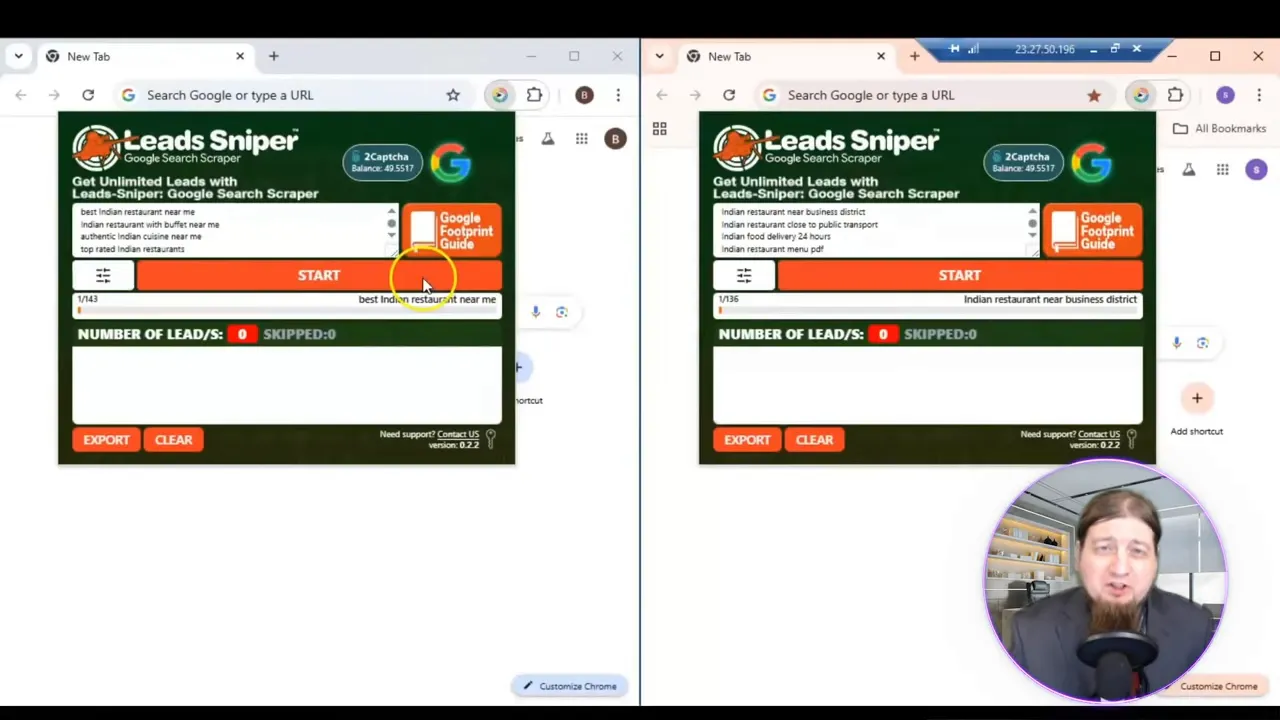
What the Google Search Scraper (google maps scraper) does
This tool searches Google (note: you must be on google.com for best results) and extracts lead data across over 18 different fields. The outputs include:
- Phone numbers and email addresses
- Website domains
- Physical location, city, and full address
- Social media handles and review counts
- Comprehensive CSV or XLSX exports ready for CRM import
Exports can be downloaded as XLSX or CSV, or dragged into your Google Drive where they’ll convert into Google Sheets instantly — perfect for team workflows and immediate outreach.
Key stats I saw in the platform
- 12,000+ happy customers
- 17 million places and phone numbers indexed
- 2 million emails and 4 million social media entries
- 800,000+ reviews tracked
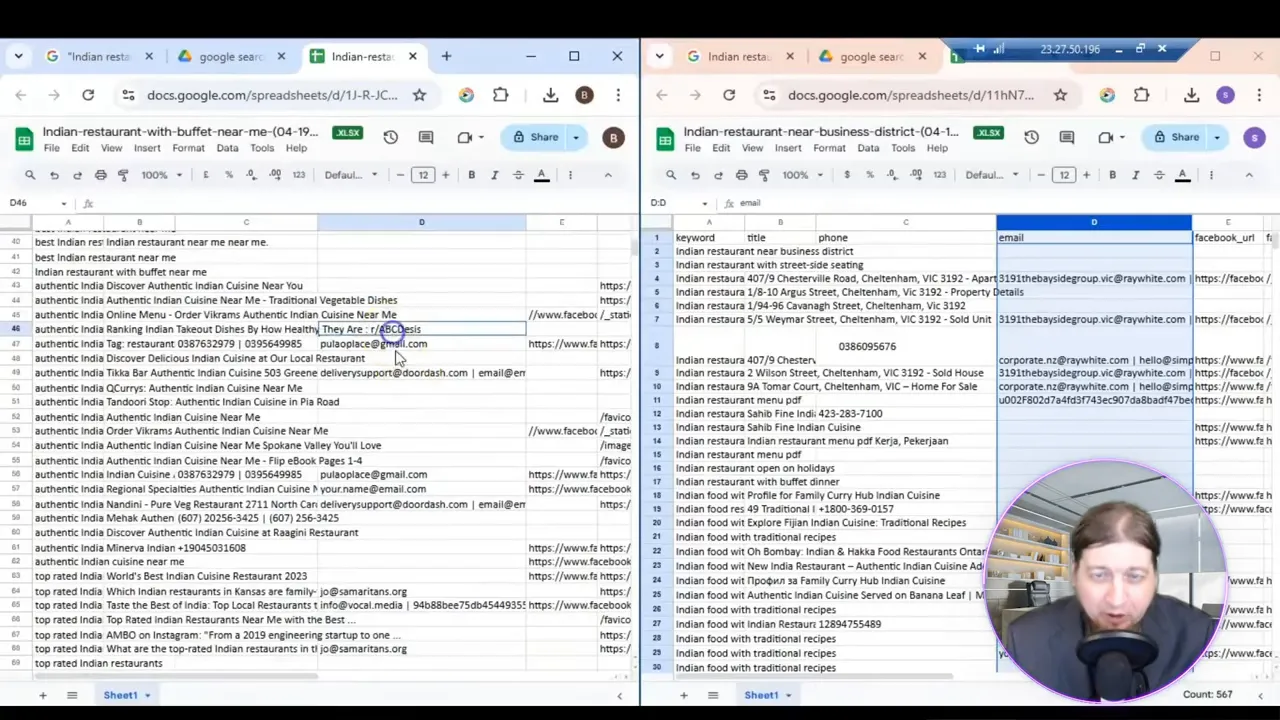
How to use the google maps scraper (step-by-step)
- Open your browser and set it to google.com — this scraper is optimized for Google Search results.
- Type the business type and niche you want (city, country, or niche-specific queries work great).
- Launch the scraper and hit Start — it will crawl results and extract leads automatically.
- Download the results as XLSX or CSV, or drag the file into Google Drive to convert to a Sheet.
- Begin outreach: import into your CRM, sequence emails, or assign to SDRs.
Pricing & plans — lifetime value
The pricing is simple and one-time (no recurring fees), which I love. Options I tested include:
- Starter pack — $149 for one installation (lifetime)
- Popular pack — five installations for $267
- Best value — ten installations for $389
Each plan claims unlimited lead scraping, 24/7 support, and the ability to try a free trial before committing. For teams, the multi-installation options are a cost-effective way to scale without monthly bills.
Why I recommend Leads Sniper’s google maps scraper
I’ve tried a few scraping approaches and this one stands out for three reasons:
- Speed — the amount of data returned in minutes is staggering compared to manual searching.
- Completeness — phone, email, site, address, social profiles and review counts all in one export.
- Affordability — a lifetime license with unlimited leads removes the friction of per-credit or per-month billing.
If you want reliable support and continued product updates, I recommend checking out Leads Sniper early in your evaluation process — their support team is available around the clock if anything needs troubleshooting.
Best use cases for a google maps scraper
- Local SEO agencies building local prospect lists
- Sales teams targeting regional SMBs
- Marketing firms scaling outreach campaigns
- Freelancers offering lead generation services
Final thoughts — get started and scale faster
If you’re tired of manual prospecting, a google maps scraper is one of the fastest ways to scale lead collection and outreach. The tool I used gave me comprehensive data exports, fast results, and a lifetime pricing model that makes sense for agencies and freelancers alike. For a streamlined, powerful lead generation workflow, give Leads Sniper a look — try the free trial or grab the lifetime license to unlock unlimited leads and 24/7 support.
Ready to rock your business and stop wasting time on manual searches? Check out Leads Sniper and start scraping smarter today.


